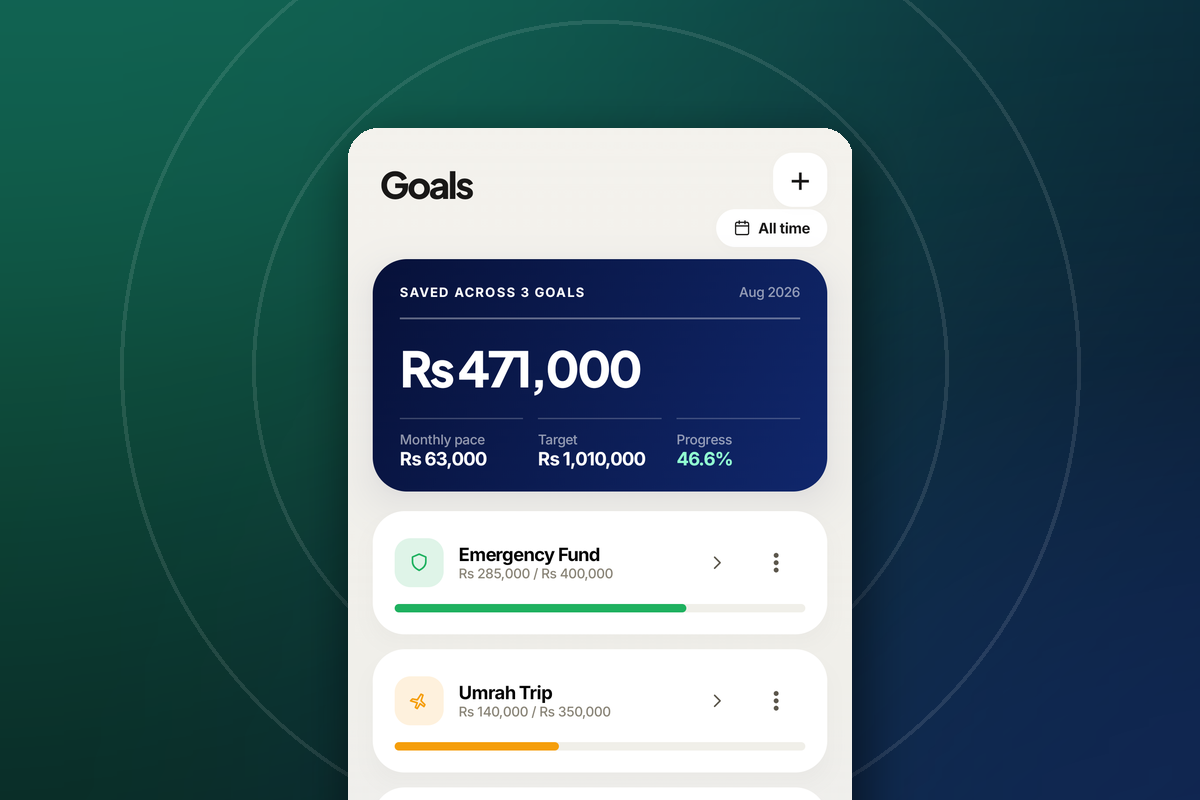
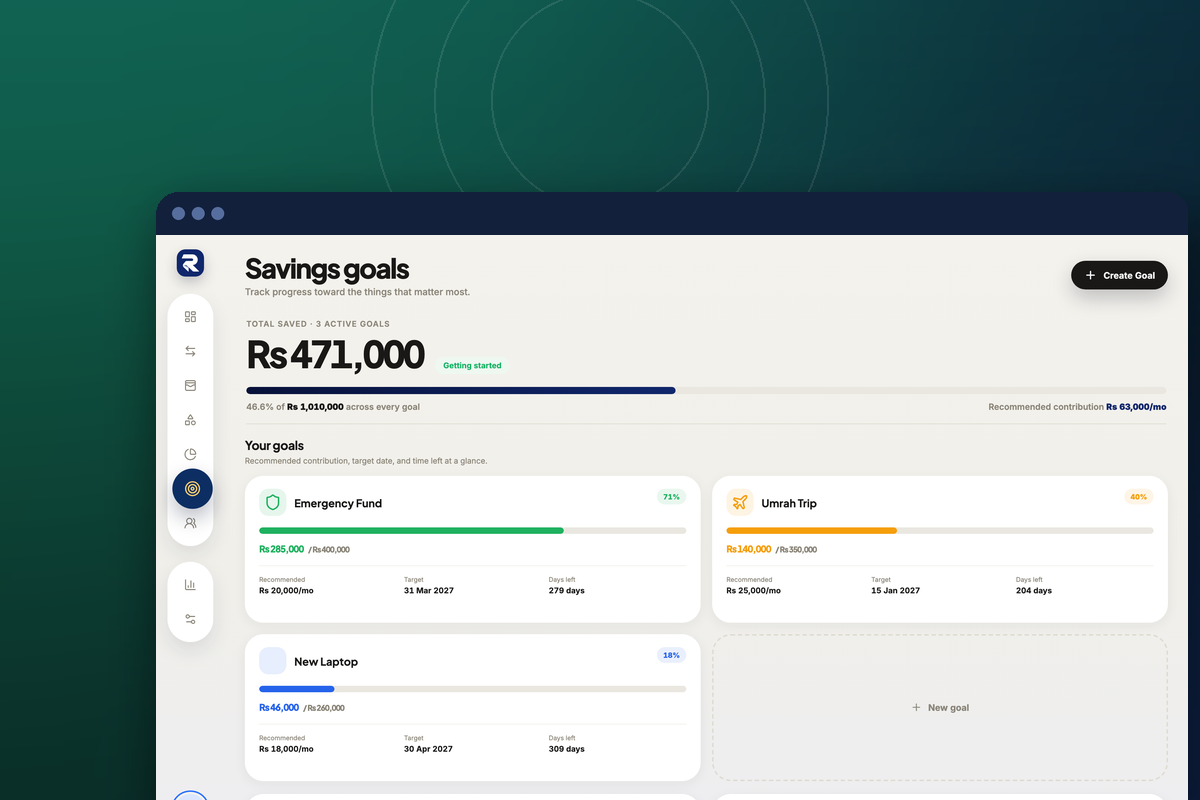
“Save more” is not a plan, because nothing about it can be true or false on a given Tuesday. A goal with a target, a date and a running total can be — and that is the whole difference. Six steps, on both the web app and the phone app.
Set a savings goal
Open the Goals screen
Tap the ☰ tile at the right end of the bottom navigation bar to open Menu, then Savings & Goals — the second row, described as “Savings goals and milestones”.
Click the target icon in the left sidebar, sixth from the top, directly under the budgets pie chart.
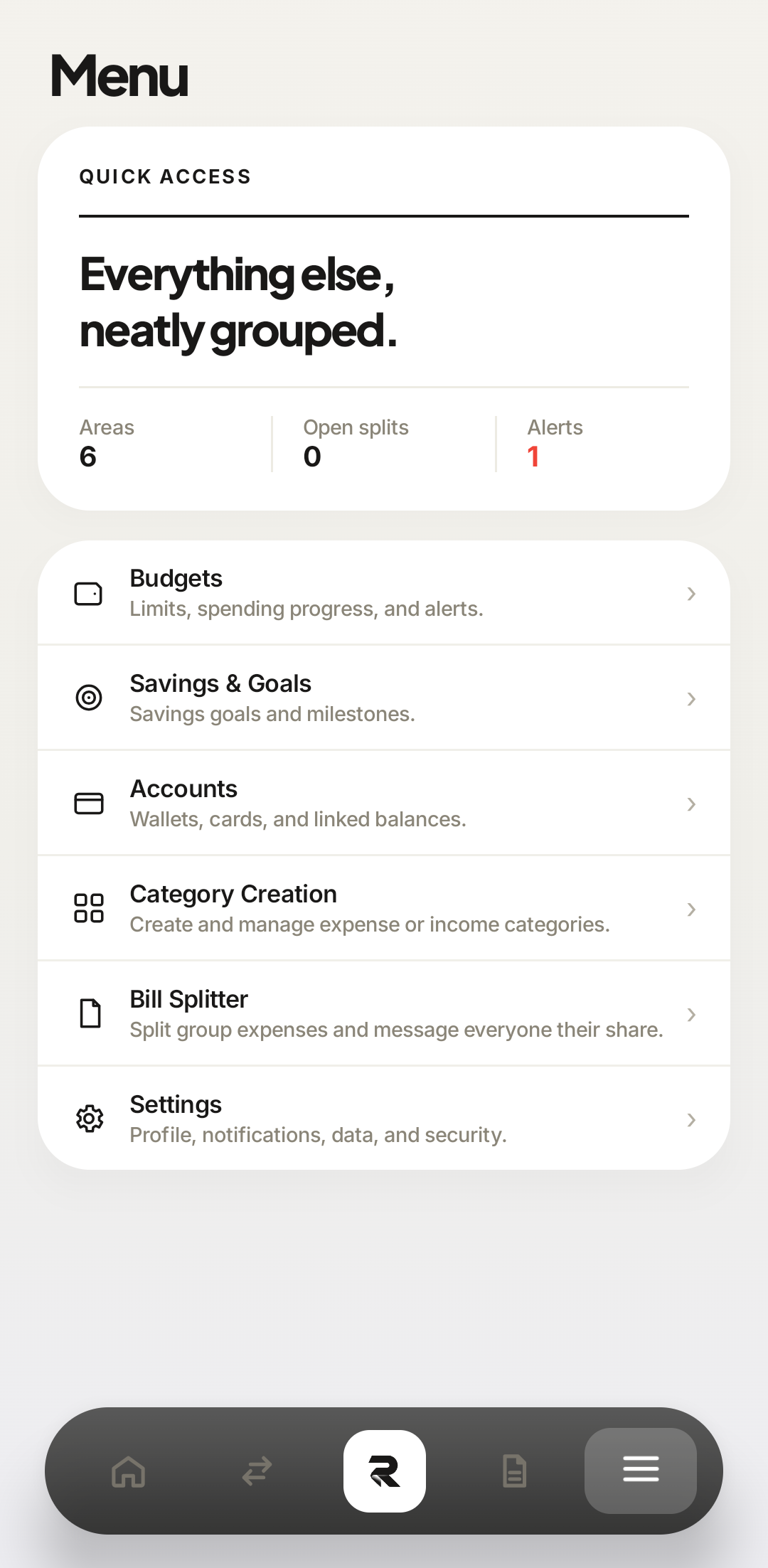 Savings & Goals
Savings & Goals sits directly under Budgets, which is the right mental order — the budget frees the money the goal collects. 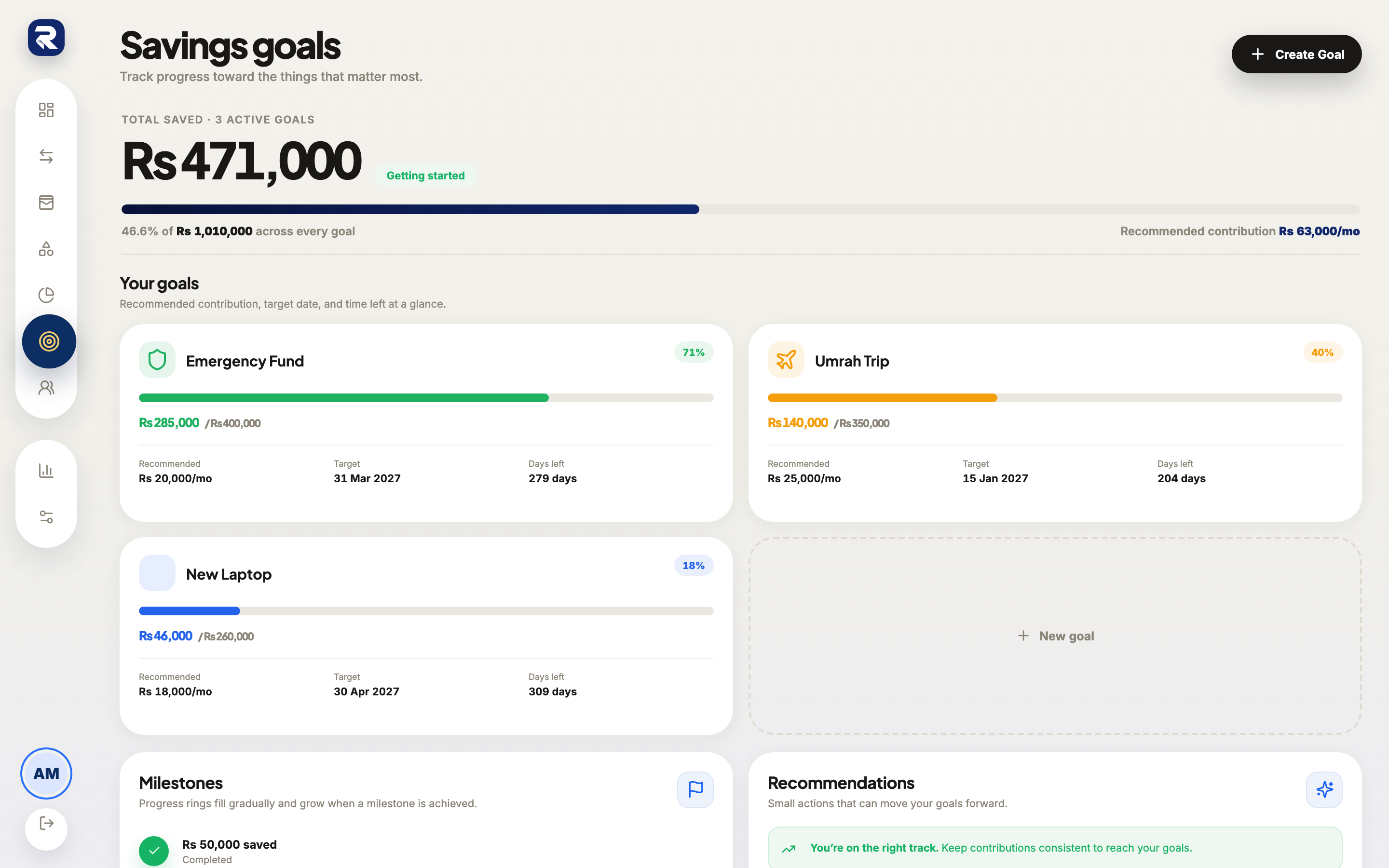 Goals
GoalsThe target icon in the sidebar. The screen opens on every active goal at once. Start a new goal
Tap the + in the top-right corner, or the outlined + New goal button at the end of the goal list. Both open the same form.
Click Create Goal in the top-right corner, or the dashed + New goal tile in the goal grid. The form opens as a dialog titled Create Goal — set a target and start saving toward it.
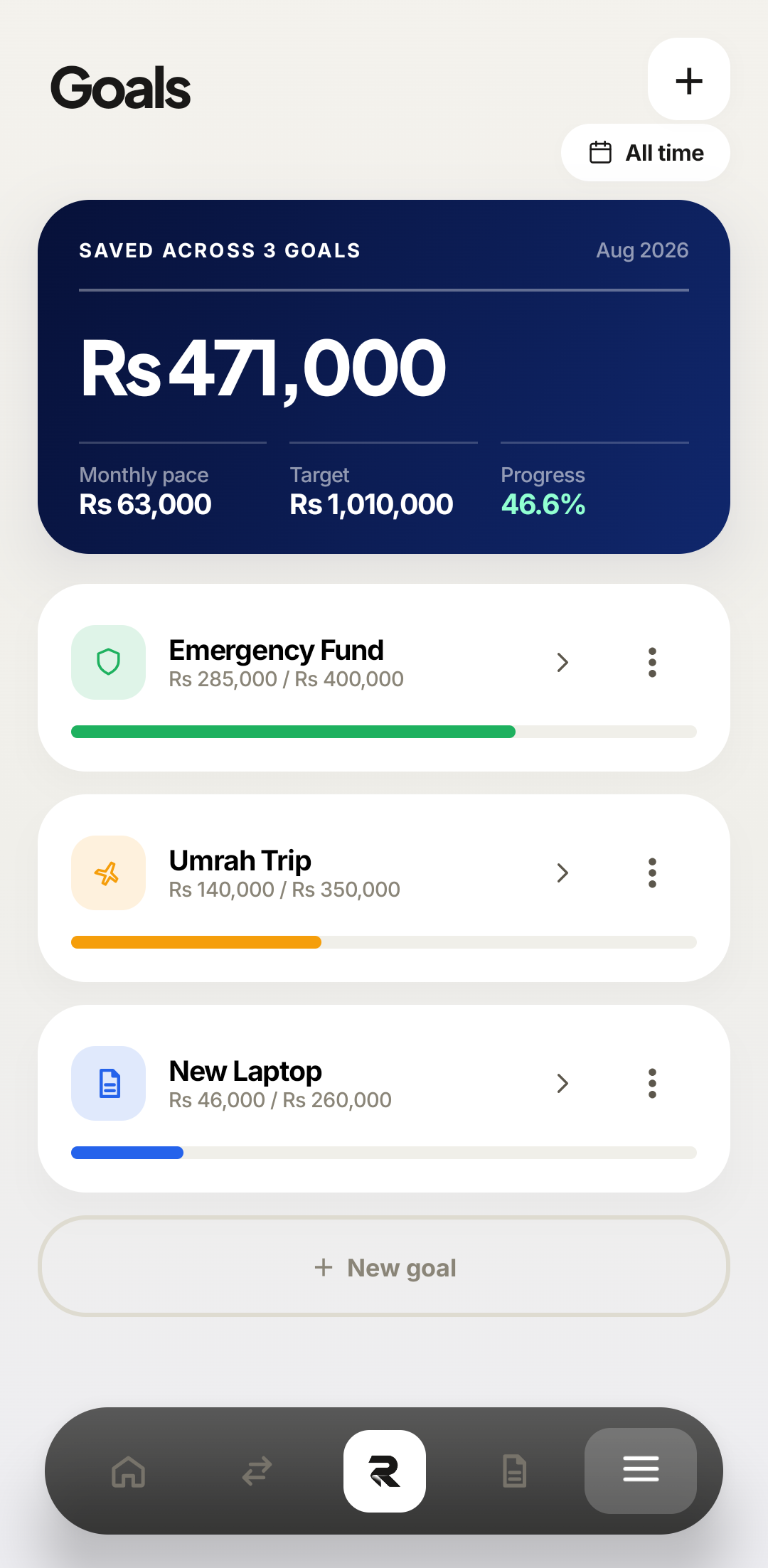 12New goal
Two doors to the same form. The + is quicker; the New goal button is where your eye already is after reading the list. 1Create Goal2The dashed tile keeps its place in the grid, so the shape of the page does not jump when you add a goal. Name it after the thing, not the amount
Umrah Trip and New Laptop survive a bad month in a way that Savings 2 does not, because the name is the only part of a goal that reminds you why you started it. Rakama prints this name on your dashboard, in the milestone list, and in the notification when you cross a milestone — write the one you want to read then.
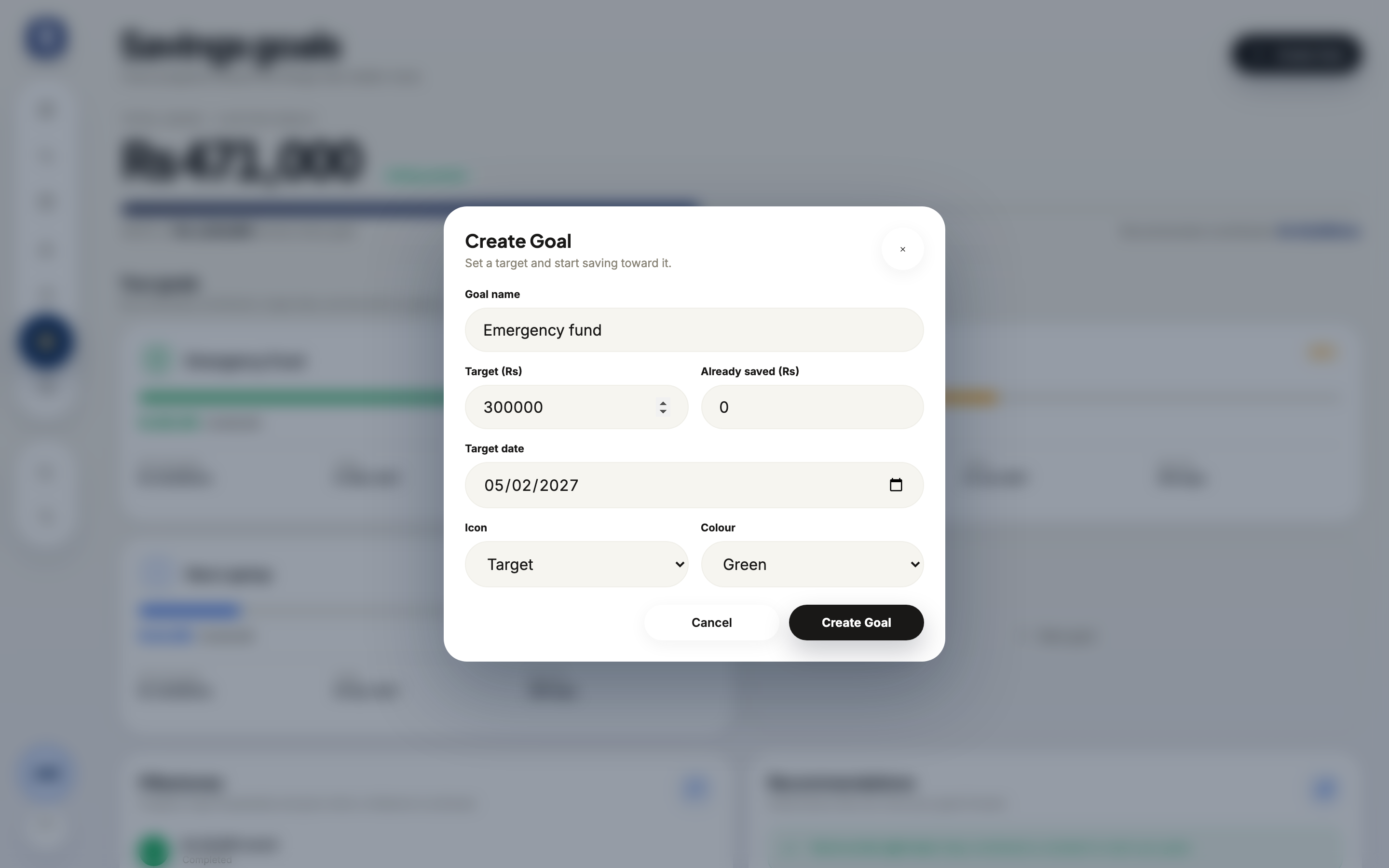 Goal name
Goal name is the first field for a reason. Fifty characters, and it is the only required text on the form. Emergency FundNamed goals as they appear afterwards: the name carries the row, the numbers sit underneath it. Enter the target and what you have already saved
The target is the finished number — the full emergency fund, the whole ticket. Already saved is what exists toward it today, and filling it in honestly matters more than it looks: a goal that starts at zero when you already have Rs 285,000 set aside will demand a monthly contribution you do not actually need, and you will conclude the goal is impossible rather than that the form was wrong.
Digits only in both fields. Rakama supplies the currency.
12Already savedAlready saved defaults to 0 and is the field most worth correcting — it is what makes the recommended contribution honest. Saved / targetThe two numbers end up as the pair under each goal's name — Rs 285,000 of Rs 400,000. Set the target date
The date is what converts a target into a monthly number, and it is the field people skip. Without it Rakama can show progress but cannot tell you whether you are on schedule — and “am I on schedule?” is the only question a goal exists to answer. It defaults to six months out, which is a placeholder, not a recommendation.
Icon and Colour underneath are cosmetic. They decide how the goal looks in the list and nothing else.
1Target date2Target date arrives pre-filled six months ahead — change it to the date the money is actually needed. What the date drivesThe phone list shows progress rather than dates — the date is what produces the Monthly pace figure at the top, and you open a goal to change it. Save the goal and read the contribution it implies
Click Create Goal at the bottom of the dialog.
Save the goal.
Rakama now divides what is left by the months remaining and prints the result as a recommended monthly contribution. This is the number to argue with — not the target. The target is what you want; this is what wanting it costs.
1Recommended2Rs 20,000/mo is not a figure Rakama chose; it is arithmetic on the target and date you chose. Monthly paceOn the phone the same figure is the Monthly pace tile, totalled across every goal you have open.
The goal appears in the list with a progress bar and a percentage, and the summary card at the top counts one more goal against a higher combined target. If the bar is empty and you know you have money set aside, you left Already saved at zero — open the goal and fix it now, before the recommended contribution talks you into overshooting for a year.
Reading the numbers on a goal
Every goal card carries four figures and they answer different questions. Saved against target is where am I. The percentage is how does that feel. Recommended contribution is what does this cost me per month. Days left is the one that turns the other three into a decision.
12One goalAll goalsMake the goal realistic
If the recommended contribution is more than your monthly surplus, the goal is not wrong — the date is. Push the target date out and the number falls immediately. Cutting the target works too, but it changes what you are actually buying, which is a bigger decision than it looks at 11pm.
Check the arithmetic against something real: the savings rate on your Reports screen is what you genuinely have spare each month. If every goal’s recommended contribution adds up to more than that, one of them has to wait — and choosing which is a decision you get to make on purpose instead of discovering in March.
Frequently asked questions
How big should an emergency fund be?
Three to six months of essential expenses is the common guidance. Start with one month — the first milestone matters more than the final target, because it is the one that proves the habit works.
Can I track more than one goal at a time?
Yes, but every goal competes for the same monthly surplus and Rakama does not know that. Two or three active goals is the practical limit; past that the recommended contributions quietly add up to more than you earn.
Does money in a goal come out of my accounts?
No. A goal records an intention and its progress; it does not move money. If you want an account balance to move too, record a transfer into whichever account you are actually saving in.
What is the difference between a goal and a budget?
A budget is a ceiling that resets every month. A goal is a running total that accumulates. If you want unspent money to build up rather than disappear on the 1st, you want a goal.
What happens when I reach the target?
The goal is marked complete and moves into the Milestones list rather than disappearing, so the progress you made stays visible.
Make your money easier to understand.
Track expenses, plan budgets, and keep your goals in one clear view with Rakama.
Try Rakama free ↗