Splitting a bill is rarely difficult maths. It is annoying admin — four people, six expenses, one person who did not eat, and a group chat where nobody wants to be the one chasing everybody else. Rakama’s bill splitter does the arithmetic and writes the messages.
How to split a bill
One thing worth understanding before the first step, because it is the opposite of how most split apps work: in Rakama, everyone is in on every expense by default. You record who was not in, rather than ticking who was.
Open the Bill Splitter
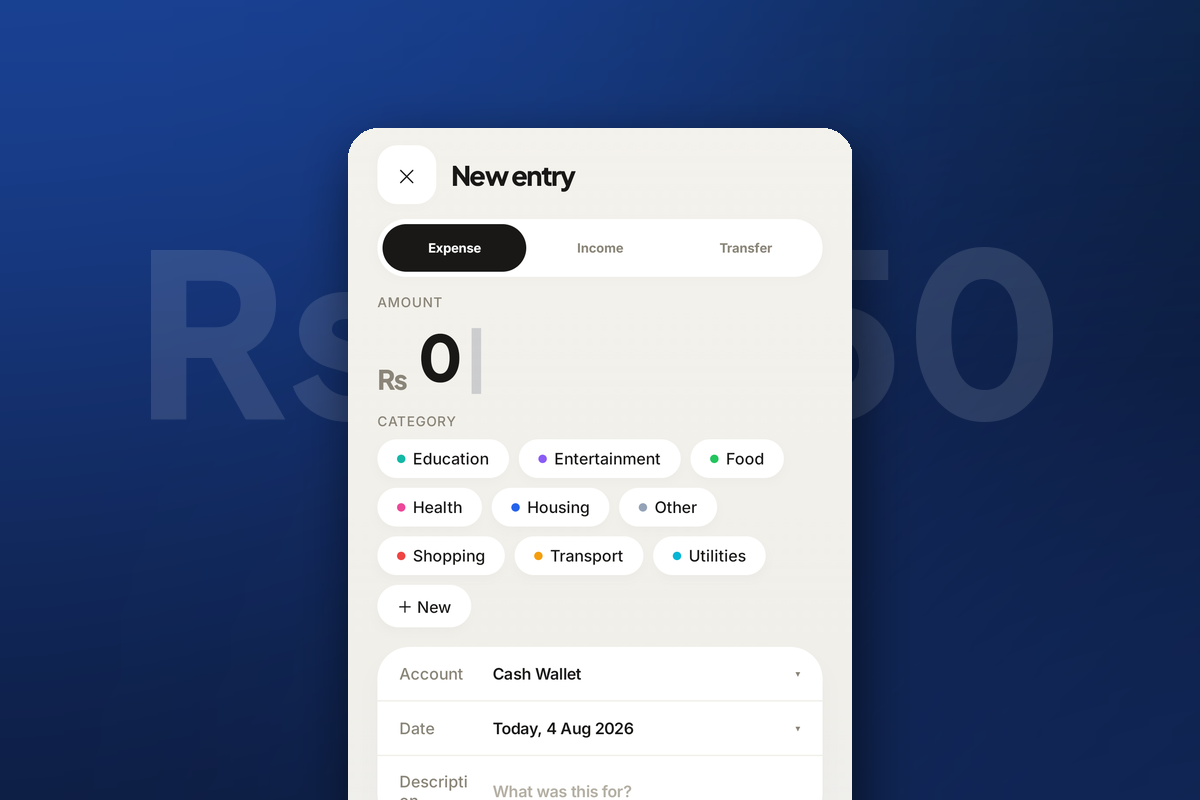
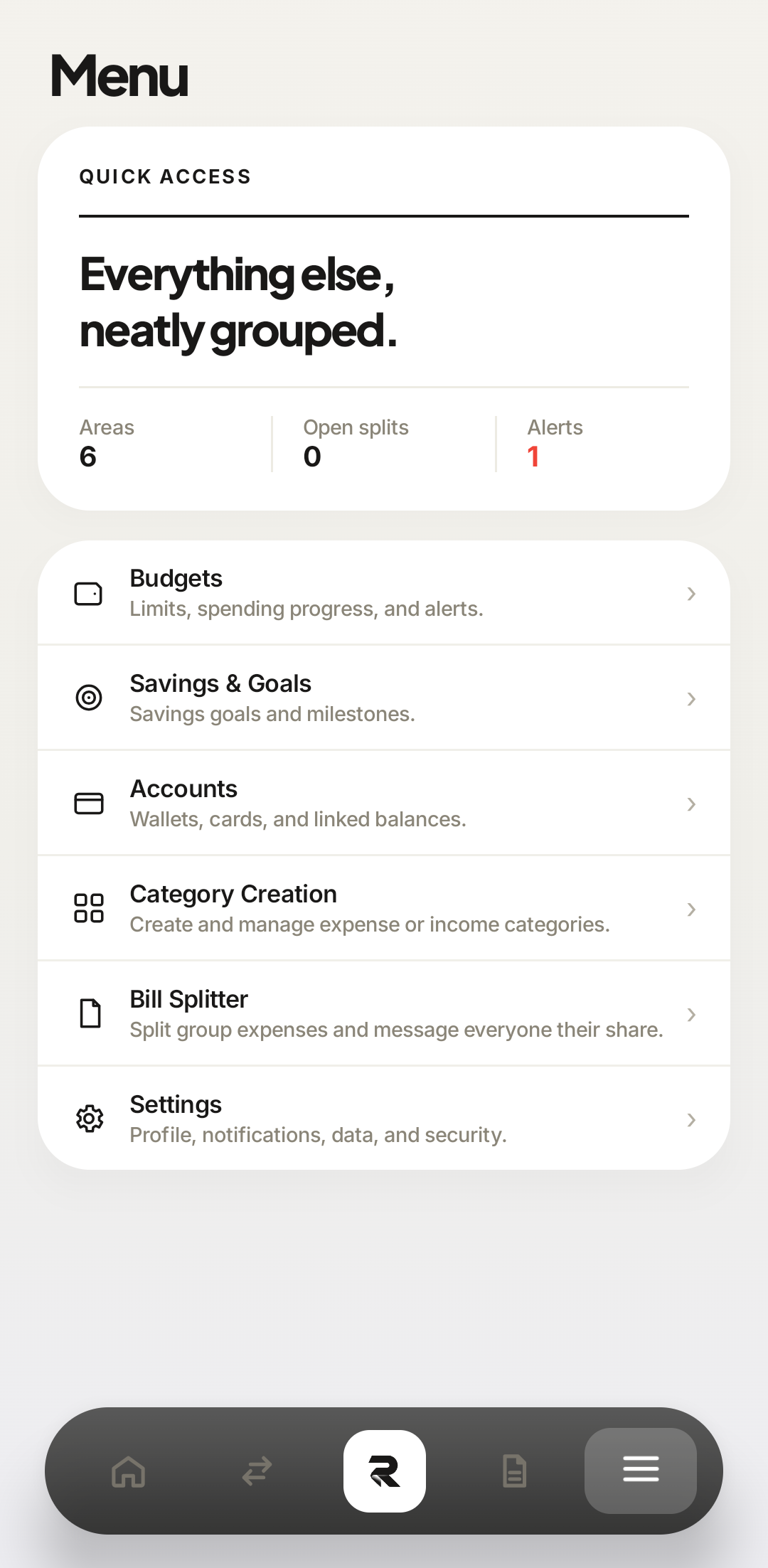
Tap the ☰ tile at the right end of the bottom navigation bar, then Bill Splitter — the fifth row, described as “Split group expenses and message everyone their share”.
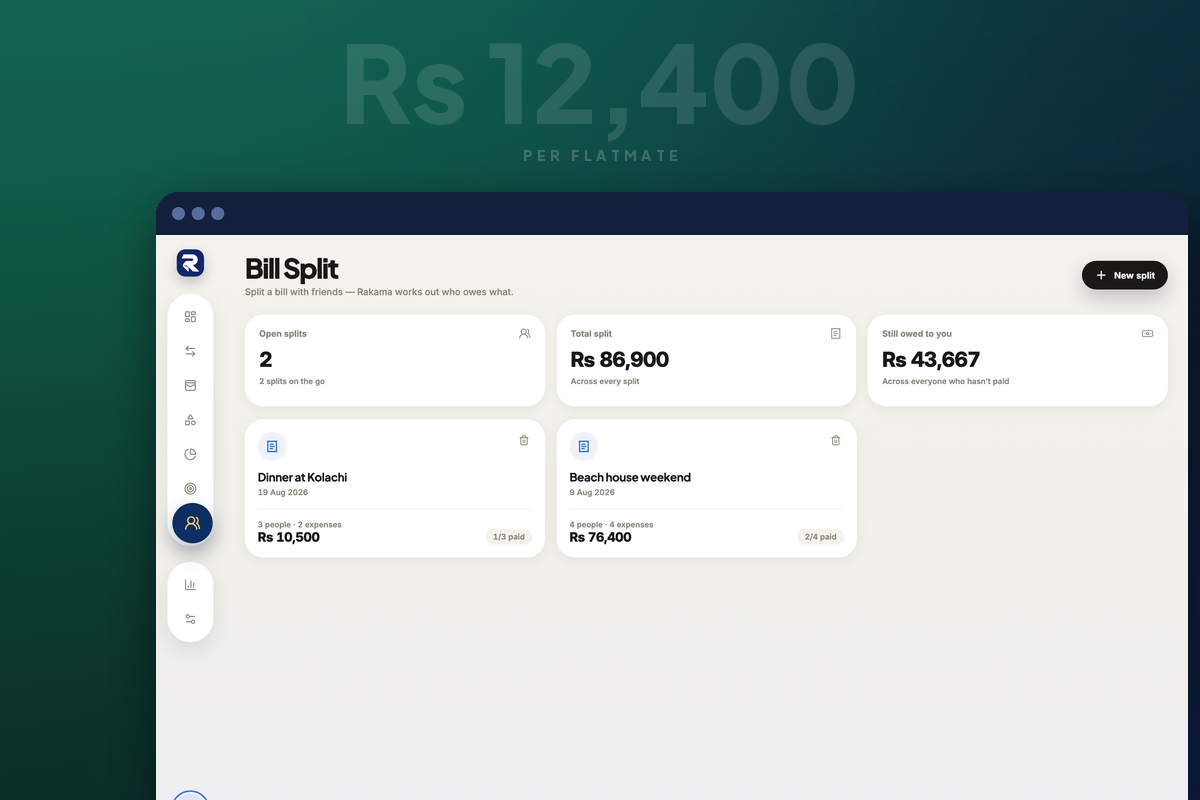
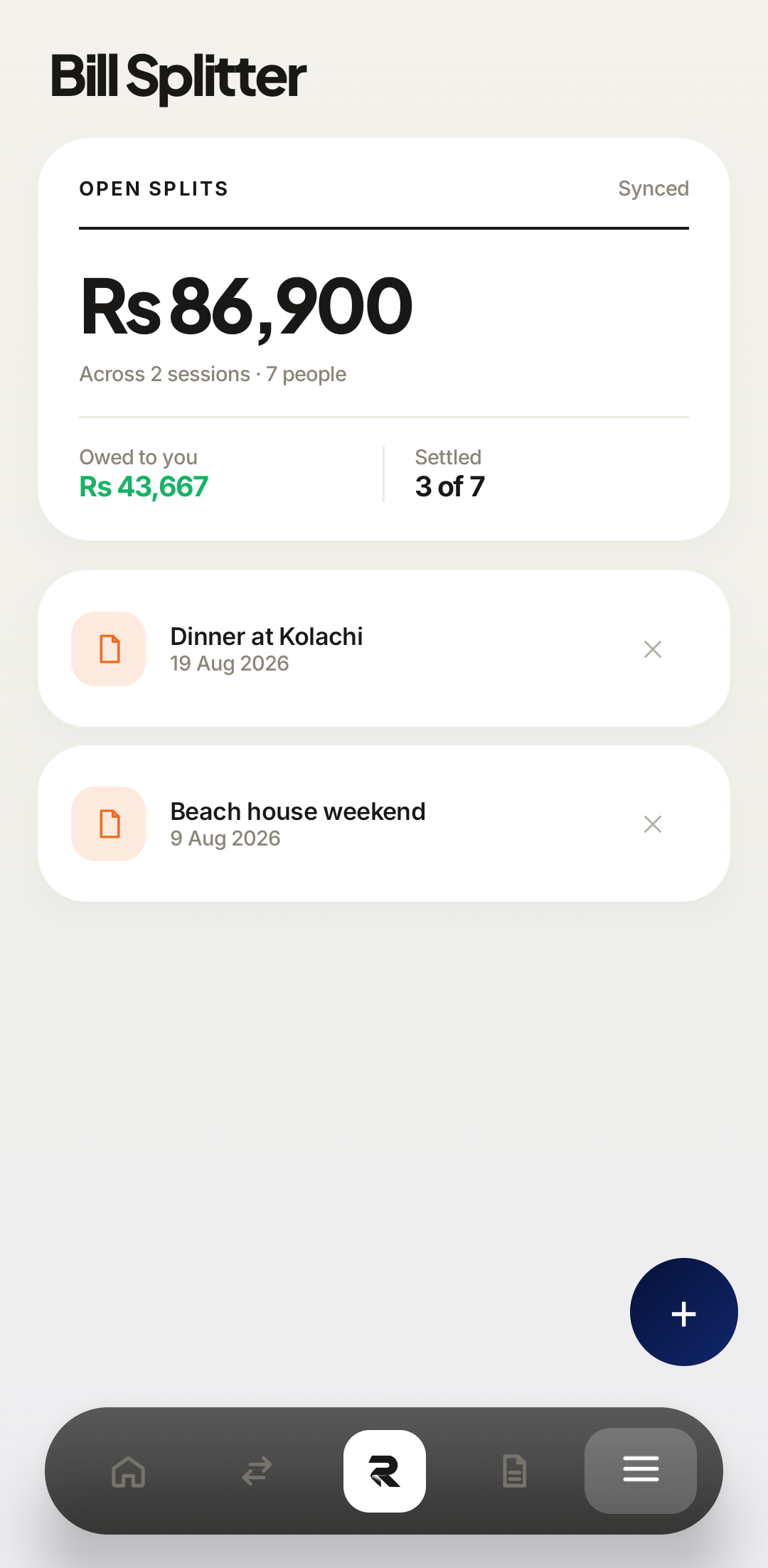
Click the two-people icon in the left sidebar, seventh from the top. The screen opens on three totals — open splits, total split, and what you are still owed — followed by a card per session.
 Bill Splitter
Bill Splitter sits between Category Creation and Settings, near the bottom of the menu. 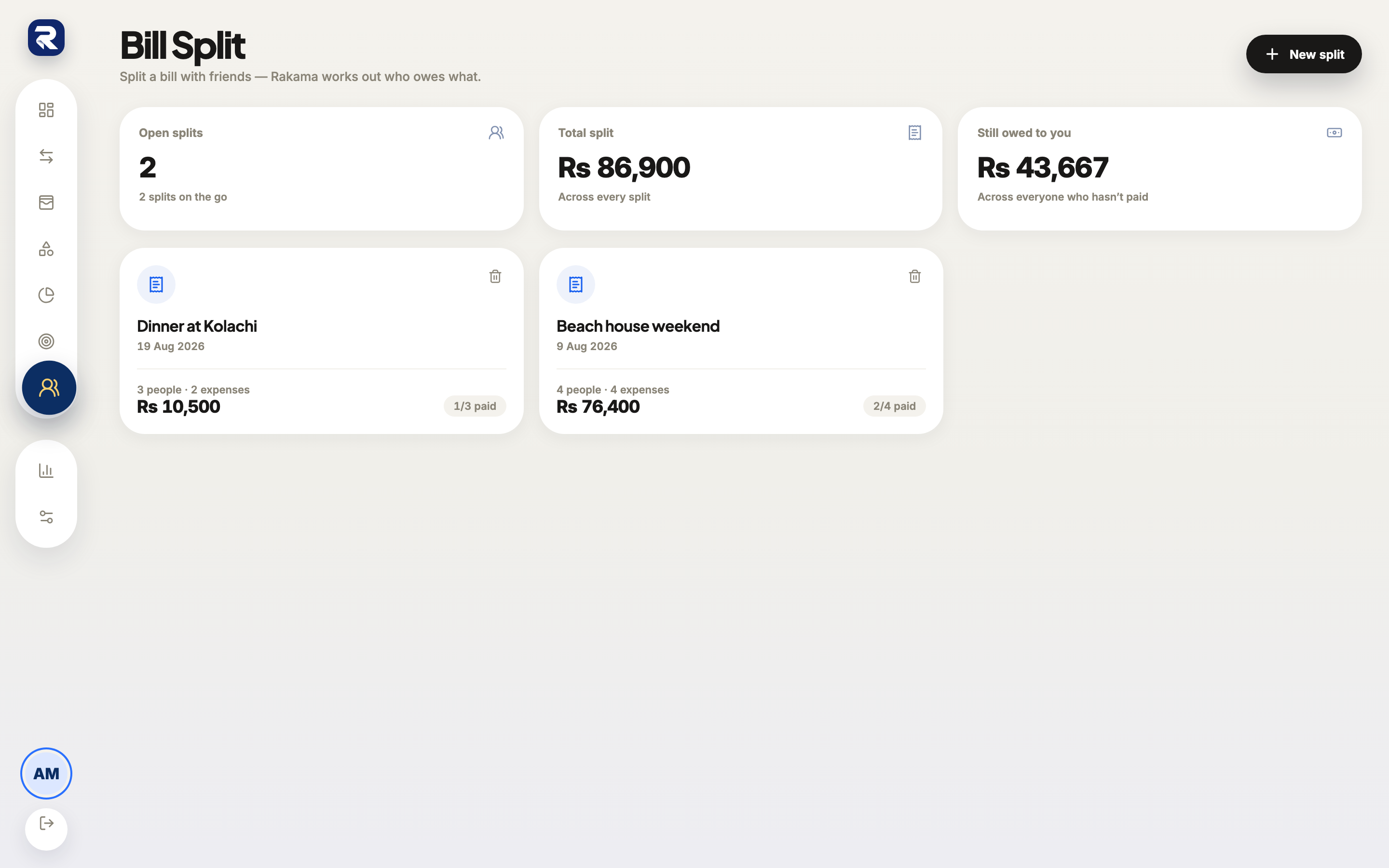 1Bill Split2
Still owed to you is the number worth checking first — it is the sum across every unsettled person in every session. Create a split and name it
A split is one occasion, not one bill. The dinner, the trip, the shared house weekend — everything spent on that occasion belongs in the same session.
Tap the navy + floating button in the bottom-right corner, above the navigation bar.
Click New split in the top-right corner. Rakama asks one question — what’s the occasion? — then Create split.
 12A session
Existing sessions sit above; the floating + starts a new one. 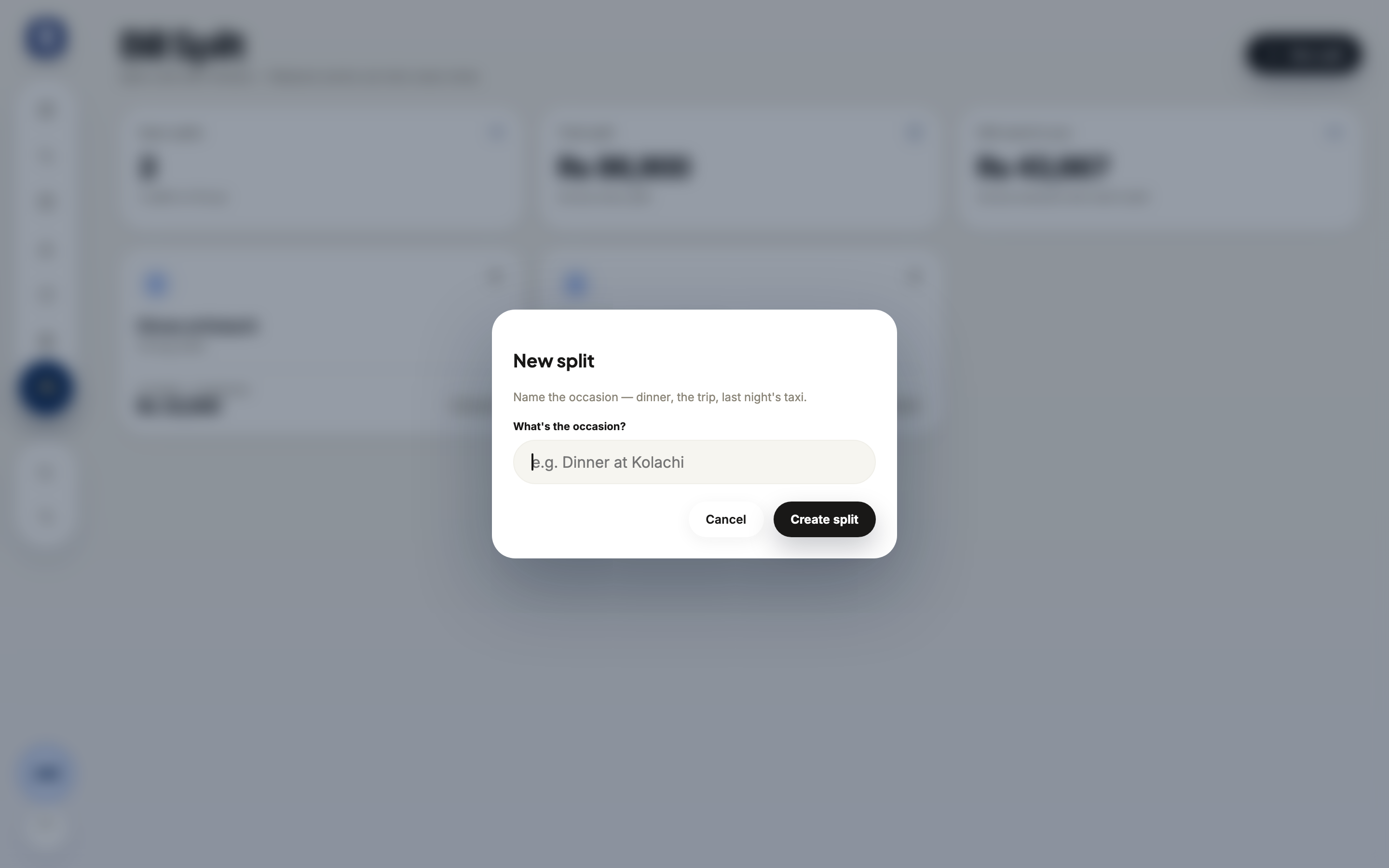 1Occasion2
Name it something you will recognise in November — “Beach house weekend”, not “Split 3”. Add everyone who was there
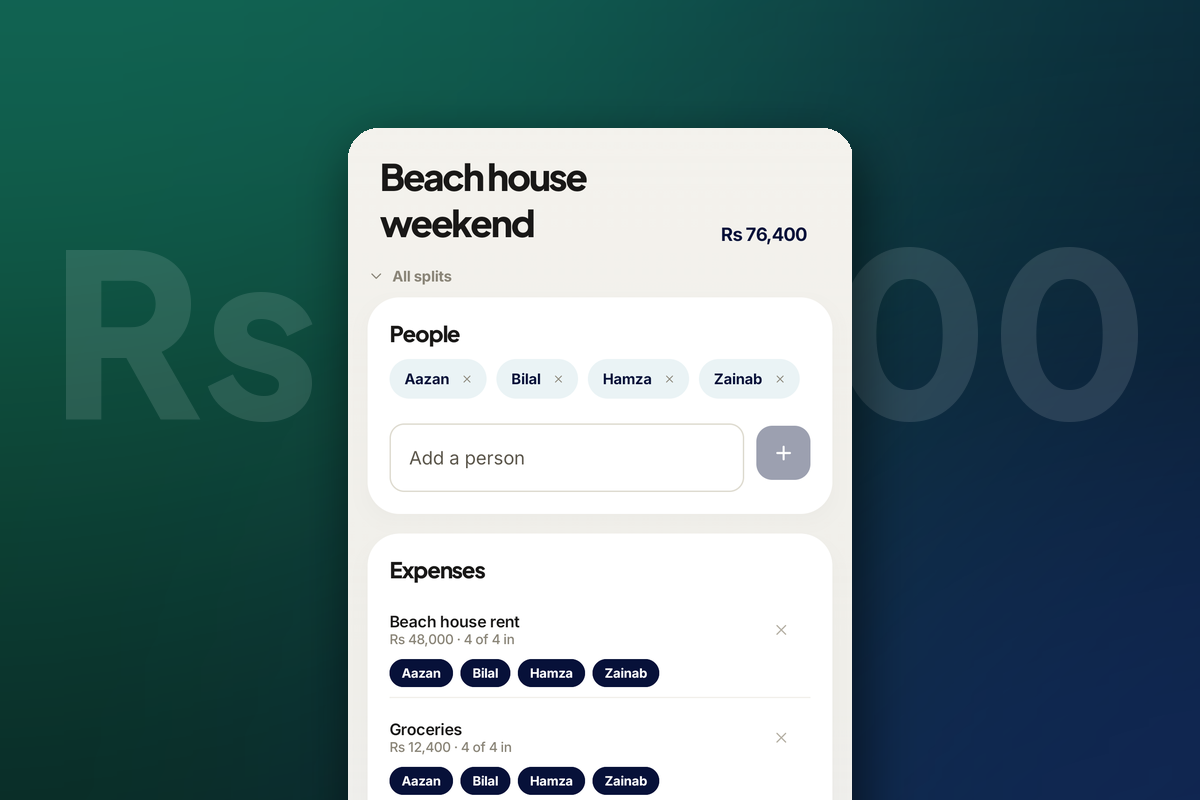
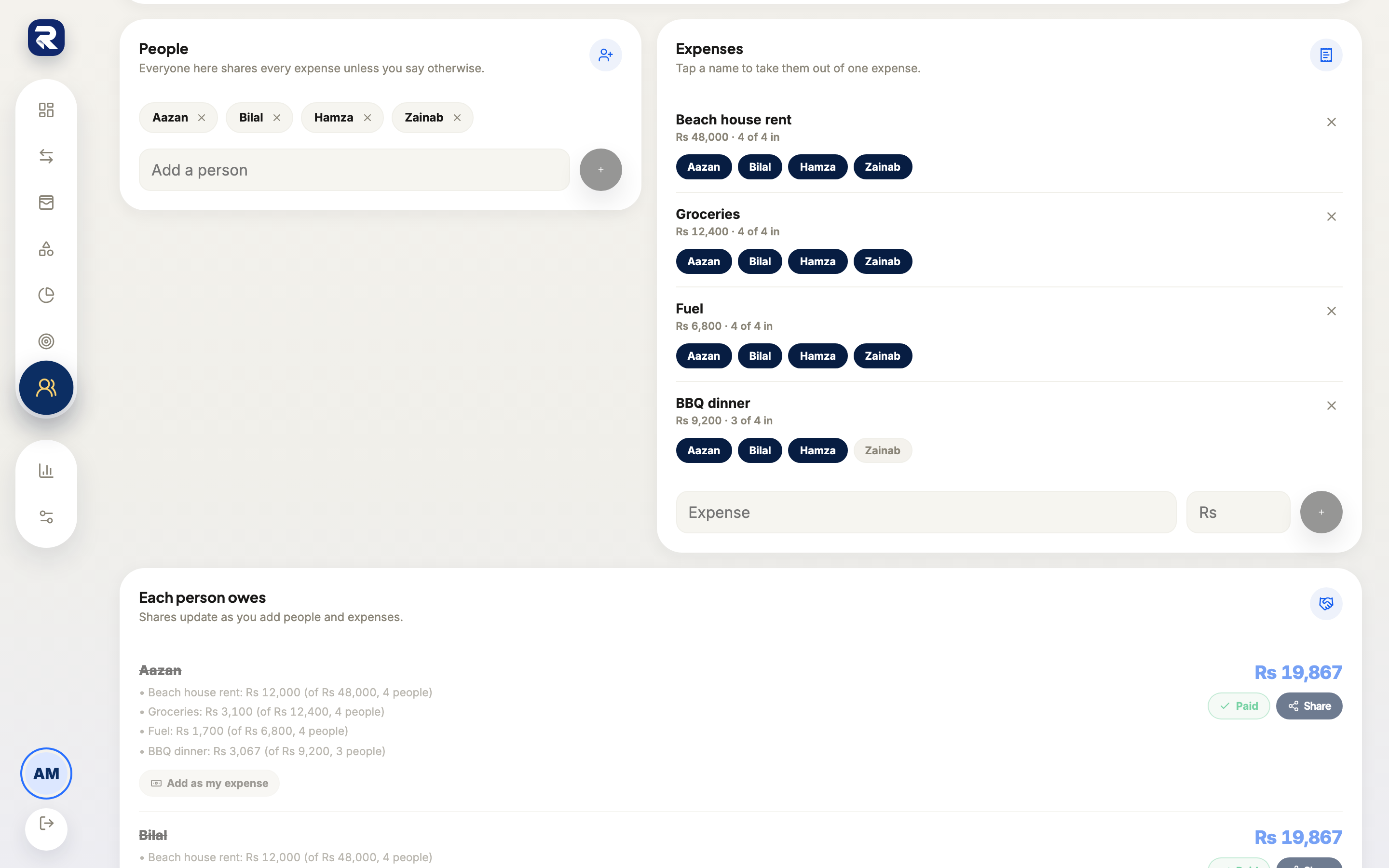
Type a name into Add a person and confirm with the + beside it. Nobody needs a Rakama account — a name is all the app needs, because the output is a message you send yourself.
Add yourself too. Your own row is what later lets you push your share into your own budget.
 1Add a person2
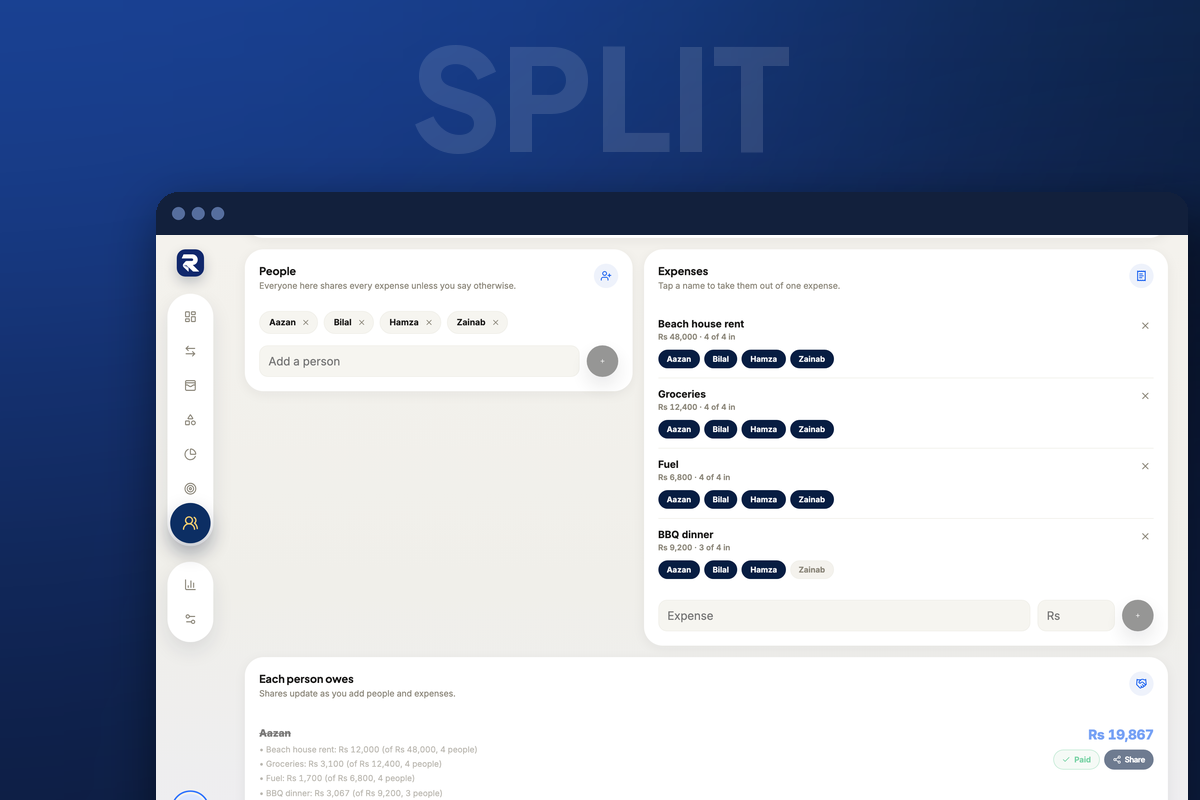
Everyone here shares every expense unless you say otherwise — the note under the heading is the rule the whole screen runs on. 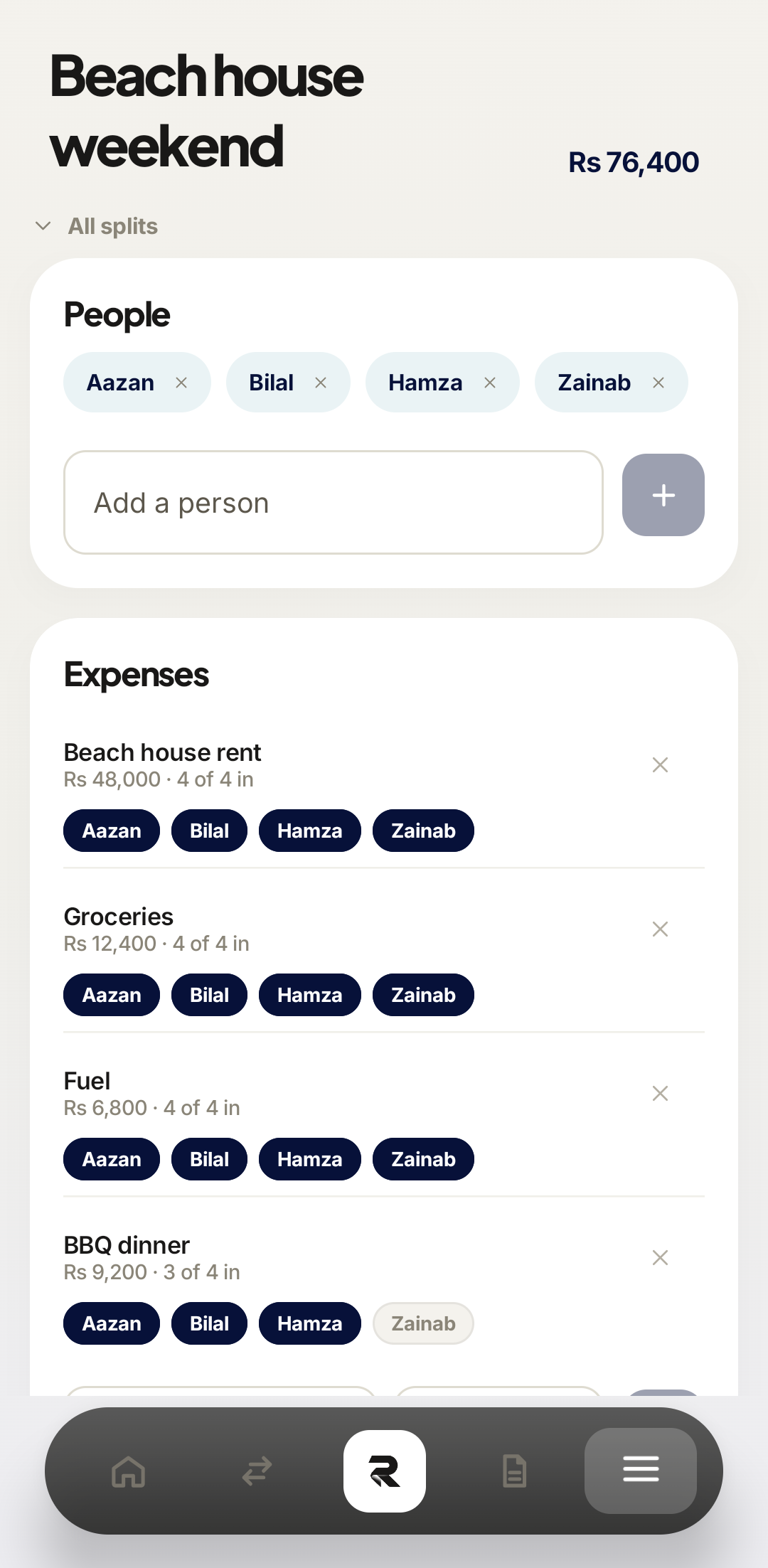 1Add a person2
Each person becomes a chip. The × on a chip removes them from the whole session, not from one expense. Add each expense at its full cost
Enter what the thing cost, not what you think each person owes. Rs 48,000 for the house, Rs 12,400 for groceries, Rs 6,800 of fuel. You never divide anything yourself — and the moment you start pre-dividing, the opt-outs in the next step stop producing correct numbers.
The name and amount fields sit at the bottom of the Expenses card; the + beside them commits the line.
1Expense2RsEach line records its own total and how many people are in it — “Rs 48,000 · 4 of 4 in”. Full costTwo expenses, each with its full cost and its participant chips underneath. Opt people out of what they did not share
Tap a person’s name under an expense to take them out of that one line. They stay in everything else. The chip greys out, the line’s count drops by one — 4 of 4 in becomes 3 of 4 in — and every total recalculates immediately.
Opted outUmair is opted out of the dessert and only the dessert — the dinner line above still reads 3 of 3 in. Opted outSame rule on the web: a greyed chip is somebody who was not in on that line. Send each person their share and mark them paid
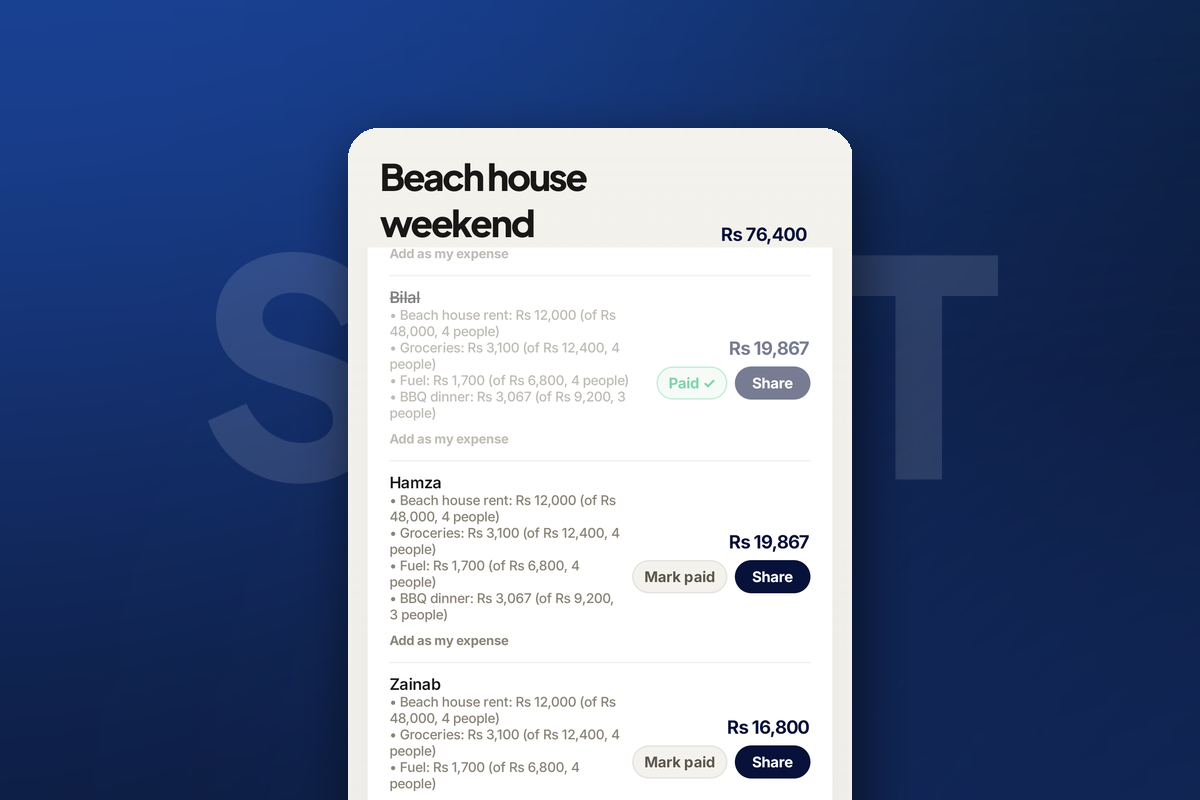
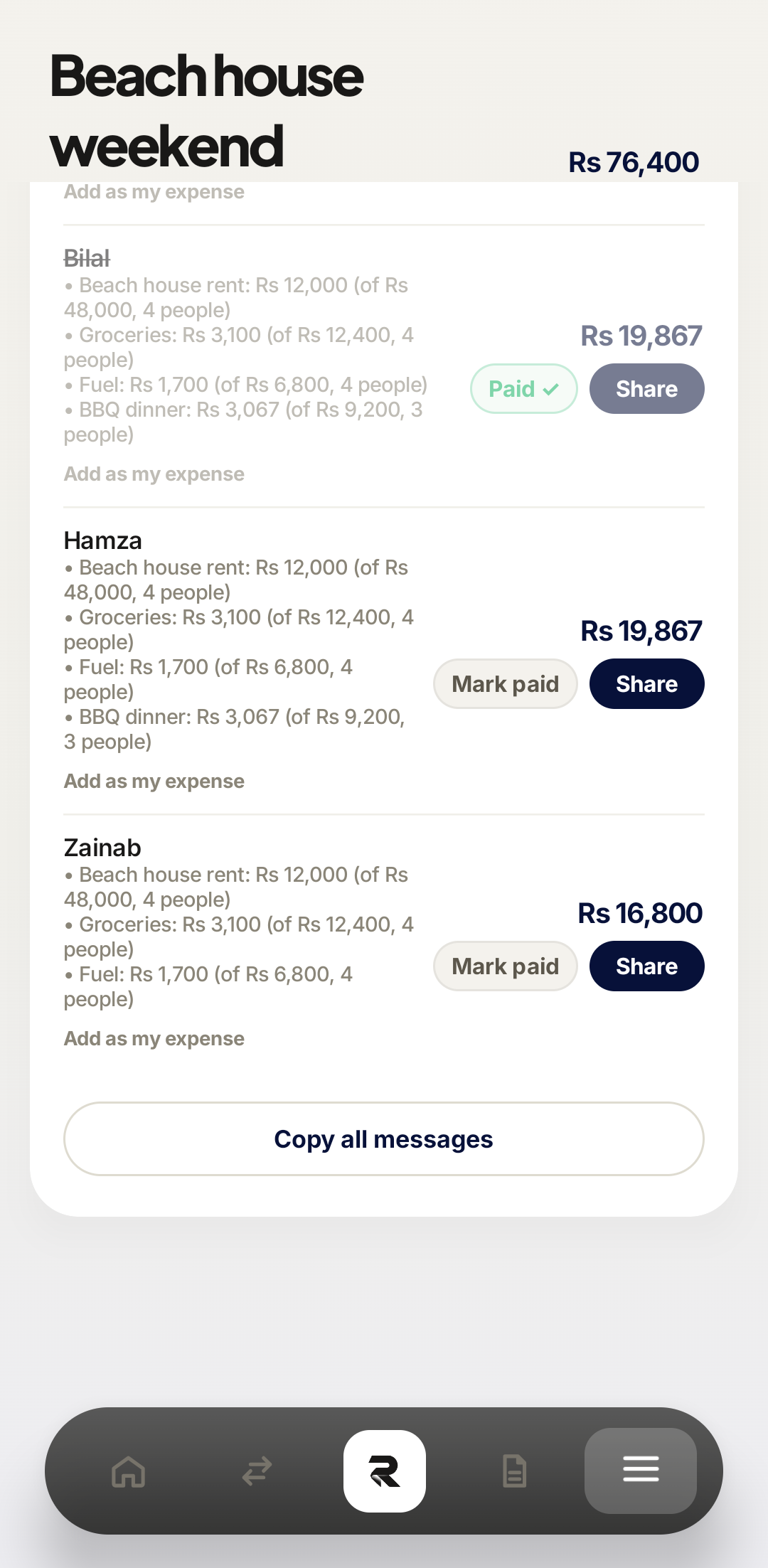
Rakama writes a per-person message with the breakdown already itemised, so whoever receives it can see exactly how their number was reached instead of taking your word for it. Share sends one; Copy all messages puts the whole set on the clipboard for a group chat.
As people pay you back, tap Mark paid. Their row greys out and the amount still owed to you drops.
 1Paid2Share3
Aazan is already settled — struck through, with a Paid tick where Mark paid used to be. 12ShareEach person owes: the itemised breakdown, the total, and the two buttons that close it out.
The session card on the Bill Splitter screen shows the right head count and a settled tally — 2/4 paid — and Still owed to youequals the sum of the rows you have not marked paid. If the total split is larger than the bill actually was, an expense has been entered twice; if a person owes exactly the same as everyone else despite skipping something, the opt-out did not register.
When people did not share everything
Real group expenses are uneven. Someone leaves before dessert, someone does not drink, someone drove separately. The opt-out is what handles all three, and it is worth watching what it does to the arithmetic.
The dinner splits three ways. The dessert splits two ways. Umair ends up owing Rs 2,867 while Aazan and Sara each owe Rs 3,817 — not because anyone did special maths, but because he was opted out of a single line.
1Rs 3,8172Rs 2,867Sending shares and settling up
The part that saves the most time is not the arithmetic — it is the writing. Nobody wants to type out four different breakdowns, so in practice nobody does, and the group ends up rounding to a number that quietly costs one person Rs 3,000.
Keeping your own budget accurate
Your share of a group expense is still your spending. Use Add as my expense on your own row to record it as a normal transaction, so it lands in the right category and counts against your budget. Skip this and a big group weekend quietly disappears from your reports — your spending looks great in a month you spent Rs 19,867 on a beach house.
Add as my expenseAdd as my expenseFrequently asked questions
Does everyone need a Rakama account to be in a split?
No. You add people by name, and Rakama writes a message you can send them through any app. Only you need an account.
What if one person did not share an item?
Opt them out of that single expense. Everyone joins every expense by default, so you only mark the exceptions, and the totals recalculate immediately.
Can I add my own share to my spending?
Yes. Each person’s row has an "Add as my expense" action, which records your portion as a normal transaction so your budgets stay accurate.
What happens when someone pays me back?
Mark them paid. Their row shows as settled and the amount still owed to you drops accordingly.
Can I add someone after I have entered the expenses?
Yes, and this is why the opt-out model matters: a person added late joins every expense automatically, so you do not have to revisit each item to tick them in.
What it does not do yet
Worth being straight about the limits, because they matter before a big trip:
- There is no in-app payment — Rakama tells everyone what they owe, but the money moves however you normally move it.
- Participants do not get their own view of the split; you hold the session and send the messages out.
- Splits are per-session rather than an ongoing running balance between two people.
For a dinner, a trip, or a shared house bill, none of that gets in the way. If you want a permanent running tab with one specific person, it is not what this is built for.
Make your money easier to understand.
Track expenses, plan budgets, and keep your goals in one clear view with Rakama.
Try Rakama free ↗